
International batch shipping: upload your batch, we do the rest
Put all your addresses in one Excel or CSV file. We book each shipment with the best carrier, and you print all the labels in one go. Within the Netherlands and Belgium, and to the rest of the world.
- The best shipping option for every shipment
- Choose from FedEx, UPS, DHL, TNT, DPD and Skynet
- Quote within 2 hours (during business hours)
- We process your batch on the same working day
- All labels in one combined file
- You send the template, we do the rest
How to get 10% off your whole batch
With a new, free business account you get 10% off all your shipments for the first 4 weeks. Book your batch in that period and the discount applies to every shipment in it.
- Create a free business accountFor businesses registered with the Dutch Chamber of Commerce (KvK) or the Belgian KBO. No credit card, minimum volume or contract. Create account
- Request your quoteUpload your completed template in the form. Use the email address of your new account.
- Approve within 4 weeksApprove the quote within 4 weeks of registering and we book your batch with 10% off every shipment.
The discount applies to the freight price (including fuel surcharge), not to other surcharges, the transport guarantee, VAT or import duties. It can't be combined with other discounts or agreed rates. Read the promotion terms (in Dutch).
What is a batch?
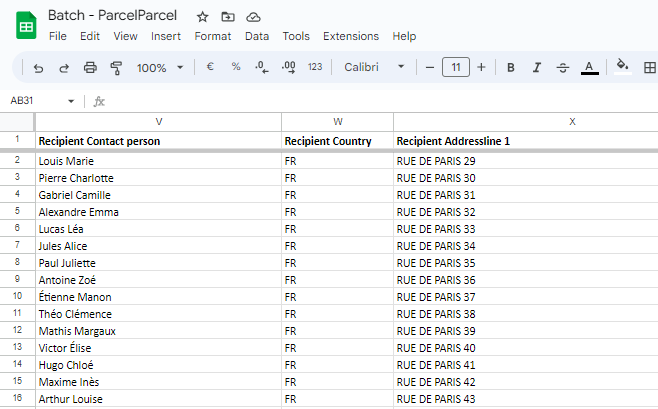
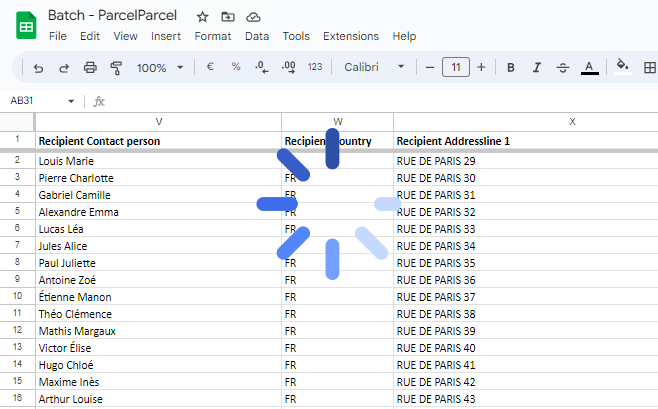
A batch file is a file (CSV or XLS) with the shipping details of several shipments. Instead of booking each shipment one by one on our platform, we process your whole batch in one go. Here you can find an example of a ParcelParcel batch file. Below you can read how it works, in six steps.
Sending Christmas hampers and corporate gifts
Sending Christmas hampers to your staff, gifts to clients or a year-end mailing to all your contacts this year? You don't need to fill in the same form a hundred times. One file is enough.
Plan your Christmas batch in good time. December is busy for every carrier. Request your quote well before the holidays and we'll choose a shipping option together that arrives on time. See also the holiday delivery times per carrier (in Dutch). Sending just one Christmas hamper? Read sending a Christmas hamper (in Dutch).
How it works
Download our batch template
We use this template to prepare a quote for your batch shipment.
Download our batch template →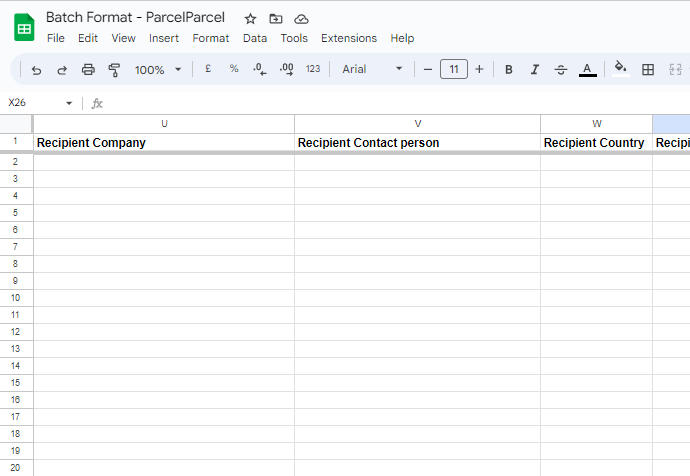
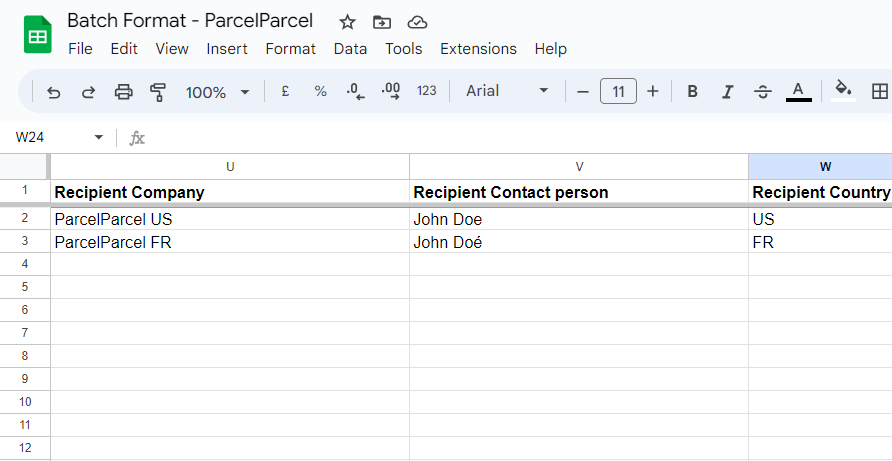
Fill in all the fields in our template
The Extra information worksheet explains each field in detail.
Don't have all the information yet? Fill in as much as you can.
Upload your batch file for a quote
Done? Upload your batch file through our form. You'll get a quote within 2 hours (during business hours).
In the form you tell us whether we should always pick the cheapest shipping option, or whether you prefer a particular carrier.
Upload your batch for a quote →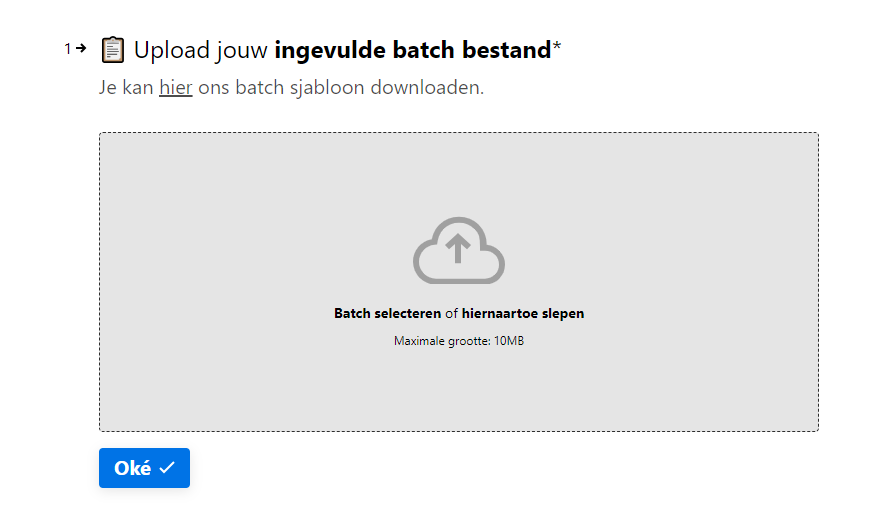
We email you the quote
You get your batch file back with an extra Shipping costs column and the total shipping cost of the batch. So you see exactly what each shipment costs.
The quote is in your inbox within 2 hours (during business hours).
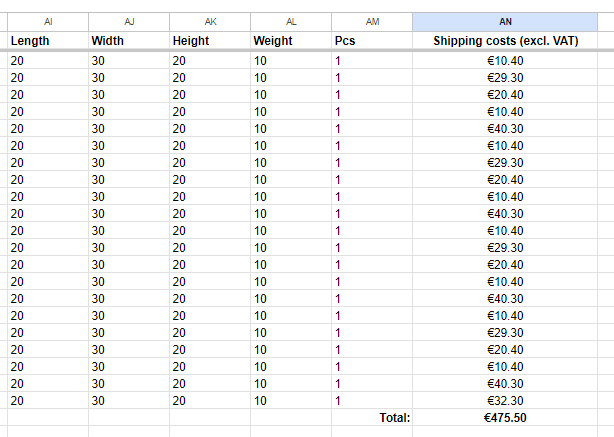
Happy with the quote? We process your batch
In almost all cases we process your batch the same working day. You don't need to do anything: we book all the shipments for you.
You receive the labels
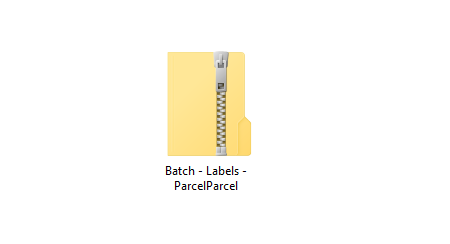
You get all the shipping labels in one tidy zip file. We also merge them into a single file, so you only need to print once.
Why send your batch with ParcelParcel?
Upload your batch and get a quote within 2 hours
During business hours (Mon – Fri 08:00 – 17:30). You get your file back with the shipping cost per shipment and the total for your batch. Please note: the quote form below is in Dutch. Questions, or prefer to deal in English? Email us at [email protected].
- ✓ No template yet? Download the template (XLSX)
- ✓ New to ParcelParcel? Create your free business account first for 10% off
- ✓ Tell us in the form if you prefer a particular carrier
Frequently asked questions
Question not listed? Our customer service is happy to help, usually within a few minutes.
Contact us →Where can I download your batch template?
You can download our batch template here.
How do I show that I have two parcels for the same address?
Enter the same value under Reference in each row. We then process those rows as one shipment.
Can I choose a preferred carrier?
Normally we choose the cheapest shipping option for each shipment. Prefer a particular carrier? Say so in the form you use to request the quote. We work with FedEx, DHL, TNT and DPD, among others.
Do I need to make the customs invoice myself for shipments outside the EU?
No. We create the customs invoices automatically from what you fill in on the batch template.
How do I request a quote?
Fill in our batch template and upload it via this form (in Dutch). You'll get a rate from us within 2 hours (during business hours).
How long does it take to get a quote?
Usually about 2 hours (during business hours). You then get the total shipping cost of the batch.
Do I have to process the batch myself?
No, we do that. As soon as all shipments are booked, you receive the labels. Processing a batch usually takes about 30 minutes (during business hours).
Do I drop off the parcels or are they picked up?
All shipments can be picked up for free. Rather drop them off yourself? That's fine too.
What do I do with the labels?
Print them and stick them on the shipments.
Do I have to print the labels one by one?
No. We merge all the shipping documents into one file, so you only need to print once.
How do I pay for the batch?
You receive a digital invoice afterwards. You pay through Mollie with iDEAL, Bancontact, credit card, PayPal, Apple Pay, KBC/CBC Payment Button and Belfius Direct, among others.
Can I also send a batch for shipments within the Netherlands or Belgium?
Certainly. Your batch can include both domestic shipments (within the Netherlands or Belgium) and international ones.
Can I send Christmas hampers to all my staff or clients at once?
Yes. Put all the addresses in our batch template, one row per shipment. We book everything in one go and you get all the labels in one file.
Do I get a discount on my batch?
If you're a business and create a new, free account, you get 10% off all shipments you book for 4 weeks, so also on every shipment in your batch. The discount applies to the freight price, not to surcharges. Read the promotion terms (in Dutch).
Can I use an Excel or CSV export from my own system?
Yes, as long as you put the data in the columns of our template. You can simply copy and paste an address list from your own system.
When should I send my Christmas batch?
The sooner, the better. December is busy for every carrier. Request your quote well before the holidays and we'll choose a shipping option together that arrives on time.
Can I send to home addresses?
Yes. Some carriers charge a surcharge for delivery to a residential address. You'll see it in the shipping cost per shipment in your quote.
Calculate your shipping costs now
Enter the dimensions and weight, compare the carriers side by side and have your parcel collected today.



Send your Christmas batch with 10% off
Create a free business account and request your quote. 10% off every shipment in your batch for 4 weeks.